
Table of Contents:
To capture leads with RCS, route inbound traffic (via QR codes, paid ads, links) into a verified RCS conversation that opens with an offer or question, captures consent and contact details inside the chat, and passes the lead to your CRM automatically. There is no form or app download required on the users end.
This is the practical build. If you want the strategy behind it first, start with RCS for lead generation; otherwise, here are the six steps.
Before you start
You need three things in place:
- A verified sender profile. Your brand identity, confirmed, so the conversation opens with trust.
- A clear goal. Decide what a "lead" means for you, and then build an experience around that goal. It could be booking appointments, customer questions, or opt-in for offers.
- A reason to start the conversation. An offer, an answer, or a fast way to book. People will tap and engage when there's something in it for them.
With those set, the flow below takes interest and turns it into a captured lead.
Step 1: Add your RCS entry points
A lead capture starts wherever a prospect can take an action. Place entry points where attention already is:
- QR codes on signage, packaging, print, or screens
- Paid ads with a click-to-message action
- Links in bios, emails, and landing pages
- On-site prompts that invite a message instead of a form fill
Each one should make the payoff obvious with clear CTAs like "scan for this month's offer," not just simply "contact us." The clearer the CTA, the higher the entry rate.
Step 2: Design the opening message
The first message decides whether the conversation continues. Lead with value, not a data request:
- Open with the thing they came for, so the offer, the appointment slot, the answer.
- Keep it short and give one clear next step.
- Use creative media that moves it forward. It could be an image carousel, a short video, an action button, or all at the same time.
A good opener feels like a helpful reply, not a gate.
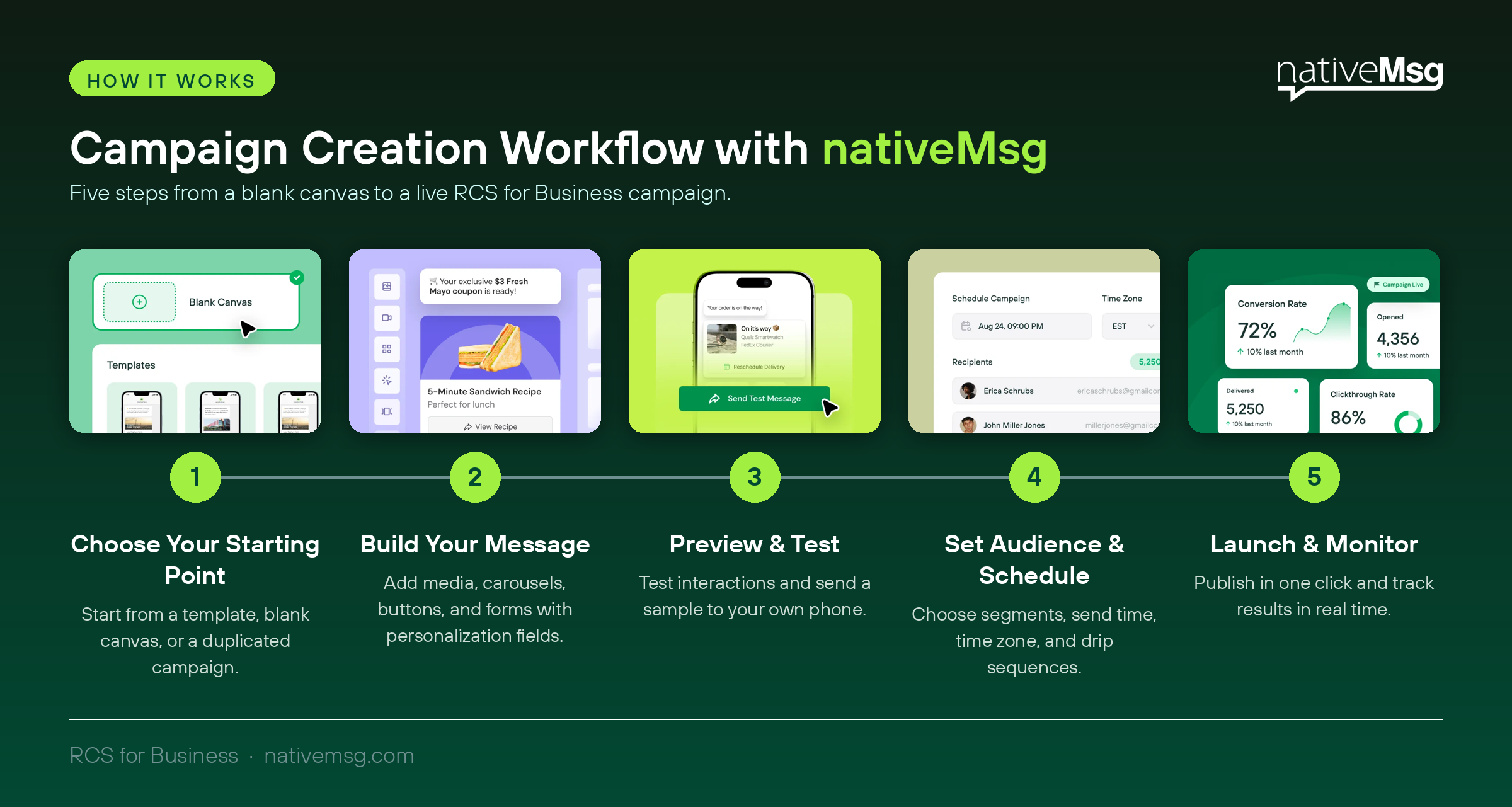
Step 3: Capture consent and details conversationally
This is where RCS beats a form. Instead of one intimidating screen, ask for what you need one easy step at a time:
- Capture consent clearly and early, in plain language.
- Ask only for the details you'll actually use.
- Let the conversation feel like a conversation, with the prospect answering as they would a text.
Because everything happens in-thread, you collect a consented, contactable lead without sending anyone to a separate page. This zero-party data is then instantly transferred to your CRM platform.
Step 4: Qualify with suggested replies
Tappable suggested replies do double duty: they make the conversation effortless for the prospect and they qualify the lead for you. Offer choices that sort by what matters so your team instantly knows who's ready and who needs nurturing. This is also faster for the prospect than typing, which keeps the conversation moving.
Step 5: Sync the lead to your CRM
A captured lead is only useful where your team works. Route the lead and everything the conversation learned (consent, answers, qualifications) straight into your CRM, so there's no manual export and nothing slips. (Check out this blog to learn more about connecting RCS to your current CRM platform!)
Once it's in the CRM, the lead can move into outbound nurture automatically, based on what the conversation already captured.
Step 6: Measure and optimize
Watch a few numbers and improve the weak link:
- Entry rate — how many people who saw the entry point started a conversation
- Completion rate — how many finished the capture
- Qualified leads — how many met your criteria
- Cost per qualified lead — against your other channels
If the entry rate is low, sharpen the entry-point payoff. If completion drops, you're probably asking for too much. Fix one step at a time.
Common mistakes to avoid
- Opening with a data request instead of value. Earn the next tap before you ask for anything.
- Asking too many questions. Every extra field lowers completion. Capture the essentials in the chat and the rest later.
- A vague entry point. "Contact us" underperforms a specific, valuable reason to start.
- Leaving leads stranded. If the lead doesn't sync to your CRM, the capture was wasted.
Getting started
You can stand up a first capture flow with what you already have — a verified sender, one strong entry point, and an offer worth opening. Walk through it with our interactive guide, or see how nativeMsg works as a lead generation engine.
Frequently asked questions
How do you capture leads with RCS? Route inbound traffic from QR codes, ads, or links into a verified RCS conversation that opens with value, captures consent and details in-thread, qualifies with suggested replies, and syncs the lead to your CRM.
What do you need to start capturing leads with RCS? A verified sender, a clear goal for what counts as a lead, and a compelling reason for prospects to start the conversation.
How do you get consent for RCS lead capture? Consent is captured directly in the conversation, in plain language, before you collect contact details — so every lead is opted in.
Can RCS lead capture work without a landing page or form? Yes. The conversation is the capture. Prospects never leave their messaging app, which is what removes the friction that forms create.